
Free Accounts Calculator for Small Businesses & Freelancers
Use our free accounts calculator to track income, expenses and profit instantly. Perfect for UK freelancers, sole traders and small businesses. No sign-up needed.
5/28/20264 min read
Free Accounts Calculator – Track Income, Expenses & Profit Online
Whether you are a freelancer, sole trader or small business owner, keeping on top of your income and expenses does not need to be complicated. Our free accounts calculator lets you enter your figures and instantly see your profit or loss — no spreadsheet, no accountant, no software subscription required. This guide also explains the basics of simple business accounting so you always know where you stand financially.
What is an accounts calculator?
An accounts calculator is a simple tool that helps you add up your income, subtract your expenses and see your resulting profit or loss. It is the most basic form of bookkeeping and is useful for anyone who needs a quick financial snapshot without opening a full accounting package.
For small businesses, freelancers and self-employed individuals in the UK, a basic accounts calculator covers the majority of day-to-day financial questions: Am I making a profit this month? How much have I spent on expenses? How much do I have left after bills?
How to use the accounts calculator
Using the accounts calculator above is straightforward:
1. Enter your total income for the period (weekly, monthly or annual)
2. Enter each expense category — materials, rent, utilities, software, travel and so on
3. The calculator will total your expenses and subtract them from your income
4. Your gross profit or loss is displayed instantly
You can use it for a single month, a full tax year, or any custom period. For self-employed individuals in the UK, the tax year runs from 6 April to 5 April the following year.
What expenses can I include in my accounts?
If you are self-employed or running a small business in the UK, HMRC allows you to deduct allowable business expenses from your income before calculating tax. Common allowable expenses include:
– Office costs (stationery, software, broadband)
– Travel costs (fuel, public transport, parking — not commuting)
– Clothing (uniforms or protective gear only)
– Staff costs (wages, subcontractor fees)
– Stock and materials used in your business
– Marketing and advertising costs
– Professional fees (accountant, solicitor)
– Financial costs (bank charges, business insurance)
Personal expenses cannot be included. If an expense is partly business and partly personal — such as a mobile phone — you can only claim the business proportion.
Gross profit vs net profit — what is the difference?
Gross profit is your income minus your direct costs (the materials or labour directly involved in making your product or delivering your service).
Net profit is your income minus all costs — including overheads like rent, utilities, insurance and marketing.
For most freelancers and sole traders, the accounts calculator above gives you your net profit figure, which is the number HMRC uses to calculate your Income Tax and National Insurance contributions through Self Assessment.
As a rough guide, if your net profit from self-employment is above £12,570 (the Personal Allowance for 2025/26), you will need to pay Income Tax on the amount above that threshold.
How much should I set aside for tax?
Once you know your net profit from the accounts calculator, a practical rule of thumb for UK sole traders is:
– Set aside 20–29% of net profit if you are a basic rate taxpayer
– Set aside 40–49% if your profits push you into the higher rate band (above £50,270)
– Add 9% for Class 4 National Insurance on profits above £12,570
– Add £3.45 per week for Class 2 National Insurance (if profits are above £12,570)
These are estimates only. Always use HMRC's official tools or speak to a qualified accountant for your exact tax liability. Our accounts calculator is a planning tool, not a tax return.
Simple bookkeeping tips for freelancers and small businesses
You do not need expensive software to keep clean accounts. These habits will keep you organised throughout the year:
– Record every transaction as it happens, not in a rush before your tax deadline
– Keep all receipts, even small ones — digitally is fine, a photo on your phone is sufficient
– Separate your business and personal bank accounts from day one
– Reconcile your accounts monthly — compare your calculator totals against your bank statements
– Invoice promptly and track which invoices are paid and which are outstanding
– Set money aside for tax every time you receive income, not at the end of the year
Using our free accounts calculator alongside a simple spreadsheet covers most of what a sole trader needs in the early years of business.
Frequently asked questions
Q: What is the best free accounts calculator for small businesses?
A: For quick calculations, an online accounts calculator like ours is the fastest option — enter income and expenses and see your profit instantly. For more detailed bookkeeping, free tools like Wave Accounting or the HMRC Basic PAYE Tools are worth exploring for UK businesses. For most sole traders and freelancers just starting out, a simple calculator and a spreadsheet is all you need.
Q: How do I calculate profit for my small business?
A: Profit = Total Income − Total Expenses. Enter your income figure and all your business expenses into the accounts calculator above. The result is your gross profit. If you then subtract any additional overheads not already included, you get your net profit — the figure used for tax purposes.
Q: Do I need an accountant if I use an accounts calculator?
A: An accounts calculator helps you understand your financial position quickly, but it is not a substitute for professional advice on tax planning, VAT registration, payroll or company accounts. If your income is growing, you have employees, or your tax situation is complex, a qualified accountant will save you more money than they cost. For simple sole trader income below the VAT threshold (£90,000 in 2025/26), many people manage their own Self Assessment using basic tools.
Q: How do I calculate monthly business expenses?
A: List every expense you incur in a month — software subscriptions, materials, travel, marketing, phone, insurance and any other business costs. Add them all together to get your total monthly expenses. Subtract this from your monthly income to see your monthly profit. Use our accounts calculator above to do this automatically.
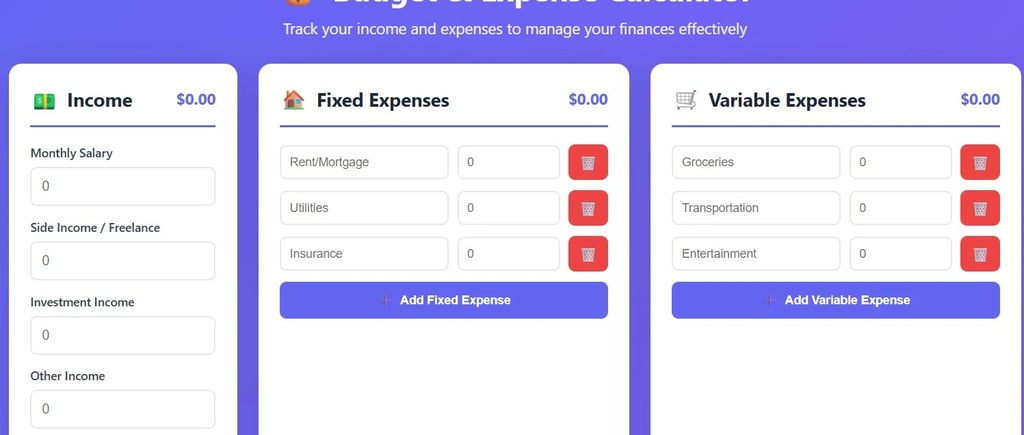
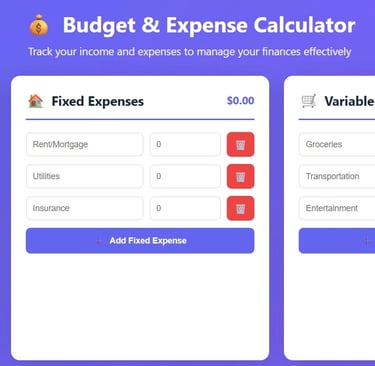
Use the free accounts calculator above to get your profit figure in seconds. If you also need to track your day-to-day household or personal spending, our budget and expense calculator is designed for that. For businesses that invoice in multiple currencies, our currency and business tools can help you convert and calculate across different rates.
Quoteen
Your one-stop destination for accurate and easy-to-use online calculators
Popular catagories
© 2026 Quoteen. All rights reserved.
Connect